
Loading...

CronTime 1.0

The modern task scheduler for macOS

App

CronTime is a macOS task scheduler that replaces Unix cron with a native SwiftUI app. It lets you create, manage, and monitor scheduled jobs (shell commands or web automation) through a visual interface.

CronTime removes the need to edit crontab files or memorize cron syntax. The Visual Schedule Builder offers preset buttons for common schedules (every minute, 5 minutes, hourly, daily, weekly, monthly) and custom time pickers for precise control. Real-time descriptions show what each schedule means, and an advanced mode is available for direct cron editing.

Beyond shell commands, CronTime includes a Web Automation Engine using WKWebView. You can automate web tasks like form filling, clicking elements, executing JavaScript, and capturing screenshots. This enables scheduled web interactions without manual scripting.

The app includes a Template Library with 30+ pre-built templates for backups, monitoring, cleanup, security scans, and more. Templates can be customized and used as starting points for new jobs. CronTime integrates with Siri and the Shortcuts app, so you can run jobs, check status, and enable or disable jobs by voice or from Shortcuts.

CronTime is a complete solution for scheduling and automating tasks on macOS, combining ease of use with advanced capabilities.


Version 1.0.1.
Minimum OS required: macOS 14 or later versions.
Universal binary optimized for Intel and Apple Silicon processors. Notarized by Apple secure service to prevent malware. English version only.


Main features

  • Visual Schedule Builder
    A visual interface for creating schedules without editing cron syntax. Choose from presets (every minute, 5 minutes, hourly, daily, weekly, monthly) or use custom time pickers. Real-time descriptions show what each schedule means, and an advanced mode is available for direct cron editing.
     
  • Web Automation Engine
    Automate web tasks using WKWebView. Fill forms, click elements, execute JavaScript, and capture screenshots. Enables scheduled web interactions without manual scripting.
     
  • Real-Time Execution Monitoring
    Track job executions in real time. Each execution records output, errors, exit codes, duration, and memory usage. View success rates, most active jobs, recent executions, and status breakdowns.
     
  • Comprehensive Dashboard & Analytics
    Overview of all jobs and executions. See success rates, most active jobs, recent executions timeline, and job status breakdown (success, failure, pending, disabled). Filter by time range (Today, Week, Month, All Time).
     
  • Template Library (30+ Templates)
    Pre-built templates across categories: system and database backups, monitoring and health checks, cleanup and maintenance, security scans, performance metrics, and file sync. Templates are customizable and speed up job creation.
     
  • Siri & Shortcuts Integration
    Control jobs via Siri and the Shortcuts app. Run jobs on demand, check status, and enable or disable jobs by voice or from Shortcuts.


Frequently Asked Questions View Tutorial

View Changelog


Screenshots

These screenshots were taken on macOS 26 Tahoe. If you're using an earlier version of macOS, the interface is a bit different.


How Does It Work?

Folow these steps for the best user experience

1

Download the trial

Use the download trial version button to get the latest version.

2

Play with the app

Explore the main features for free by playing with the evaluation version.

3

Buy a license

Purchase a license when you are feeling comfortable with the app.

4

Unlock all features

Enter the purchased license in the trial version to unlock all features.

Built for modern macOS versions

This app is fully optimized for
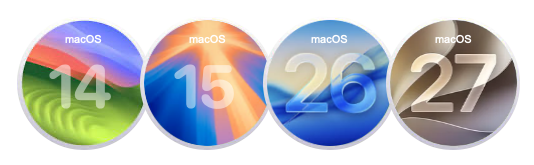
macOS 14 Sonoma, macOS 15 Sequoia and macOS 26 Tahoe

Pricing

$29 USD per computer

Pay once, own it forever — no recurring fees.

You can purchase the app from our online store and get generous discounts for volume purchases.

We can add custom features for your brand

Contact us to get a quote with the custom features you are looking for


Pepsi    Custom    Princeton

NEW    Leave a Testimonial for CronTime

Reviews are moderated. Share your honest review. The best ones will be published later this year.


Get updates on our latest apps

Monthly newsletter for elonovo.com and xproline.io websites